Take a photo.LMRA done.

< 2 minto the result
Explainer video · 59 s
01Photo of the work area
02AI detects and assesses
03Measures, PDF, email
Scroll
The moment before

The last question before hazardous work: Have I really seen everything?

That is exactly why we built the SAFETEE LMRA. It runs in the browser on your phone, right at the workplace. Developed in-house by SAFETEE GmbH, by practitioners for practitioners.

On siteNo installation, no laptop. A phone is all you need, right at the workplace.
Fully automaticAdd photos, the AI detects and assesses the hazards and delivers control measures.
For the teamResult as PDF or by email, plus the SAFETEE Moment for the toolbox talk.
How it works

Five steps.
One result you can rely on.

Illustrative image, AI-generated
SAFETEE · LMRA automatic mode
  1. 1

    Photo of the work area

    Take one to four photos of the work area. No people, just the situation.

    OverviewWork areaAccess routes
  2. 2

    AI detects and assesses

    The AI analyses the images fully automatically and assesses the hazards. In expert mode you can make the assessment yourself.

    Eight hazard classesFour risk levels
  3. 3

    Measures, PDF, email

    The control measures are set, the result goes to the team as PDF or by email. In under two minutes.

    Moment as PDFReport as PDFBy email
  4. 4

    SAFETEE Moment

    The HSE manager walks through the hazards with the team on site. Only then does the work start.

    Top hazardsQuestions for the teamKey message
  5. 5

    Dashboard

    All results land in the dashboard. Depending on the company setup, they can be analysed there: by risk, trade and top hazards.

    Access by keyCSV export
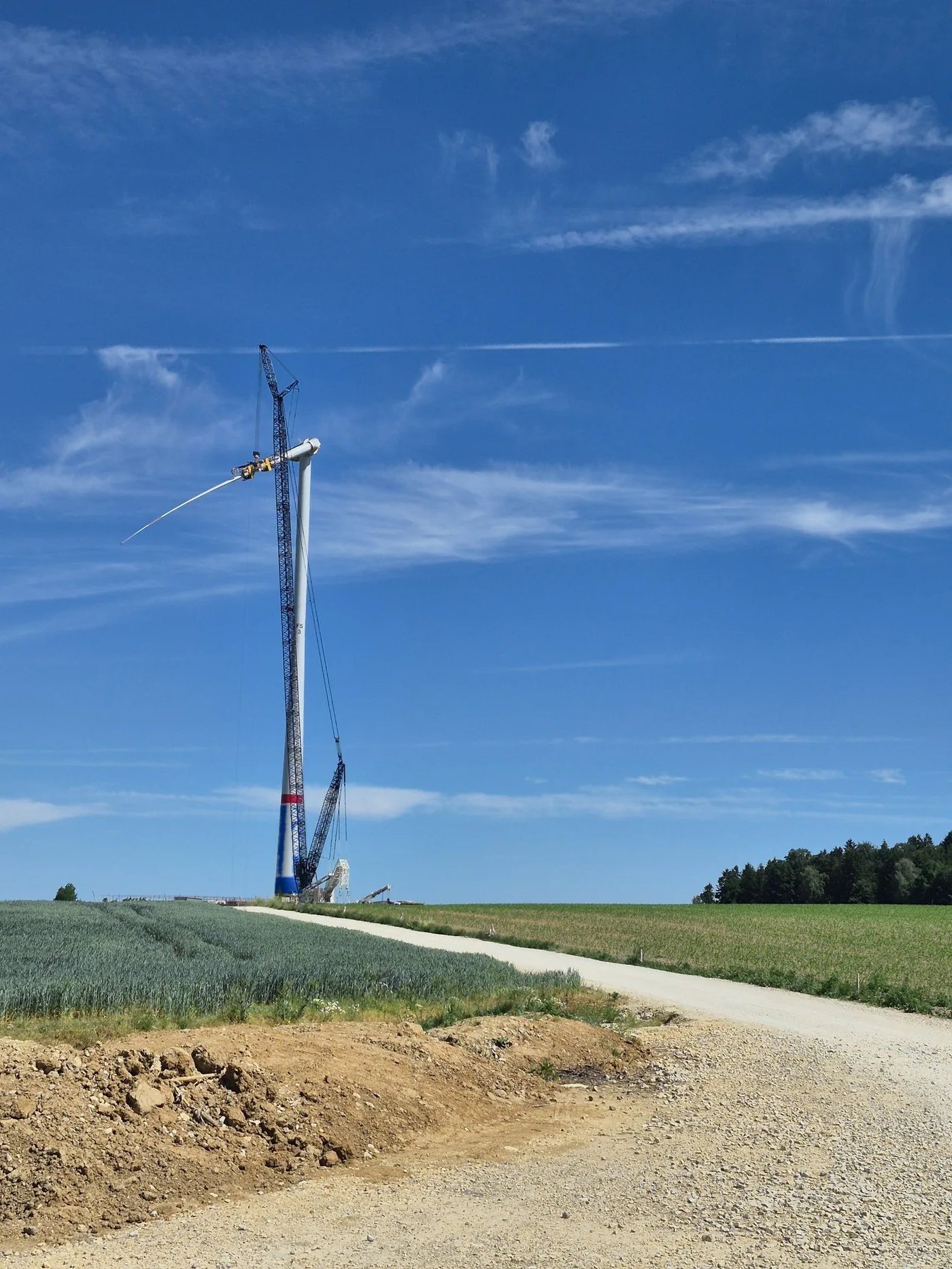
Wind farm site: crawler crane installing a rotor blade, tower base in SAFETEE blue
Fall from heightRather high
Falling objectsHigh
CrushingHigh
TrafficRather high
Ready for analysis
AI assessment

The AI sees
what matters.

Eight hazard classes, four risk levels, pre-filled from the photo analysis. The overall result follows the maximum principle: the highest single rating decides.

  • Fall from heightRather high
  • Electric shockLow
  • CrushingHigh
  • Noise / dustRather low
  • Falling objectsHigh
  • Hazardous substancesLow
  • TrafficRather high
  • Other hazardRather high
HighOverall result (maximum principle)Reduce risks first, do not start without control measures.

Demo run with demo data from the application (project “Demo Windpark”).

Expert mode

Want to go deeper?
You decide.

If you want to go deeper, use expert mode: a release checklist with stop logic, your own assessment via sliders, adjustable AI suggestions. You can switch at any time, even after the automatic result.

Release checklist with stop logic

Critical points must be confirmed. One open point means: no start.

  • Load zone cordoned off, nobody under the load
  • Bearing capacity of the crane pad checked
  • Banksman appointed, radio checked
  • Full PPE for everyone
Release pending

Your own assessment via sliders

The pre-fill from the photo analysis is a suggestion. The competent person decides. Try it:

Fall from heightRather high
LowHigh

Serious injury possible, occurrence unlikely. Define control measures before starting.

Adjustable AI suggestions

Control measures and the SAFETEE Moment can be added to or replaced. The report shows what was adopted.

AI suggestionCordon off the load zone, radius at least one blade length.Cordon off the load zone, radius at least one blade length. Also ensure eye contact between crane operator and banksman.
Dashboard

Every LMRA counts.
And gets evaluated.

Every run lands in the dashboard: key figures, risk distribution, LMRAs per week, by trade and top hazards. Access works via an access key per company setup, export as CSV.

0LMRAs total
0Last 30 days
0Stop cases
Risk distribution14 LMRAs
2 Low1 Rather low3 Rather high8 High
Top hazardsTotal · of which High
Falling objects23 · 6
Crushing22 · 7
Fall from height22 · 1
Other hazard18
Traffic15
Noise / dust10 · 1
Hazardous substances4 · 1
Electric shock3

Demo data from the application, version v17. No customer data.

Good to know

Clear rules.
From the start.

Data protection

Photos are processed for the analysis only and are not stored. Do not capture people or confidential information.

Legal framework

The LMRA does not replace the statutory risk assessment, it complements it where the work takes place. A competent person checks the assessment and control measures before work starts.

Languages

The application speaks the languages of the site. For mixed teams and contractors.

DEENPLTR
Next step

Let’s talk
about your project.

Would you like to use the SAFETEE LMRA in your project? Write to us and we will show you the application.

Interested in AI solutions?

Digital tools for your occupational safety

The LMRA is just the beginning. Our Safety Consulting develops applications with you that work on site: from the idea to the running tool.

Björn AndresenSafety Consulting, SAFETEE GmbH
Email the Safety Consulting team